A map of what the platform does — campaigns, maps, encounters, the AI Toolkit, live sessions, and the marketplace.
Guildheim is an all-in-one virtual tabletop for running live D&D and other tabletop RPG sessions in the browser. This page is a map of what the platform does. For step-by-step setup, see Getting Started; for anything not covered here, the help center has searchable articles and a support assistant.

Campaigns, maps, encounters, NPCs, and loot all live in your GM dashboard and drop straight into a live session.
The top-level home for your content. Set a system, world, level range, and party size, link maps and encounters, and optionally publish to the community marketplace.
Upload battle maps as JPEG, PNG, or WebP. Configure a square, hex, or no grid; the renderer is an HTML5 canvas with pan, zoom, fog of war, and token placement.
Build reusable encounter packs with monsters (HP, AC, CR, size) and loot. Link an encounter to a map to pre-position tokens before the session starts.
Generate and store characters and treasure for reuse across every campaign you run.
A dedicated page with four generators for fast prep — scene descriptions, session recaps, name lists, and a freeform custom prompt. NPC, loot, and encounter generation is built into their own pages.
Connect Daily.co, Pusher, and OpenAI on the Credentials page. All keys are encrypted at rest. Sessions unlock once all three are configured and validated.
AI generation runs on your own OpenAI key. Every account gets the same per-account rate limits — 3 generations per hour and 10 per day. Hourly limits reset on the hour; daily limits reset at midnight UTC.
Players join a session with a code from their GM — no setup, no credentials.
Enter your join code on the Player Dashboard. You can optionally add character details — name, class, level, race, HP, AC — for the GM to see.
Your seat at the table — video tiles, the battle map, the shared dice tray, the initiative order, chat, and shared notes.
Roll with standard notation, public or private. The GM controls tokens, fog, and initiative; players move only their own tokens.
A session moves through a fixed set of states — Lobby, Setup, Playing, Encounter, Paused, Wrap Up, and Complete. Once a session reaches Complete it becomes a read-only record. Sessions support up to eight players.
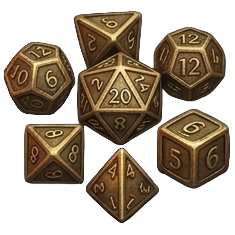
The dice engine uses standard tabletop notation: NdS
for N dice of S sides, with +/-
modifiers. Keep highest and keep lowest are supported —
2d20kh1 for advantage, 2d20kl1 for
disadvantage, 4d6kh3 for stat rolls — along with
exploding dice (2d6!) and compound expressions
(2d6+1d4+5). A natural 20 flags a critical; a
natural 1 flags a fumble. GMs can mark a roll private.
Behind the scenes, login attempts are rate-limited, session cookies are hardened, all credentials are encrypted with AES-256-GCM, and the SuiteShield firewall screens incoming requests.
The marketplace is a free community library. Every listing — campaign, map, or encounter — is free; Guildheim has no purchases, checkout, or payments of any kind.
The help center has searchable articles and a support assistant. Or reach us directly — more detailed walkthroughs are added regularly.